From to-do to done.
Kanban boards with cards, checklists and comments. Drag a card and watch the work move.
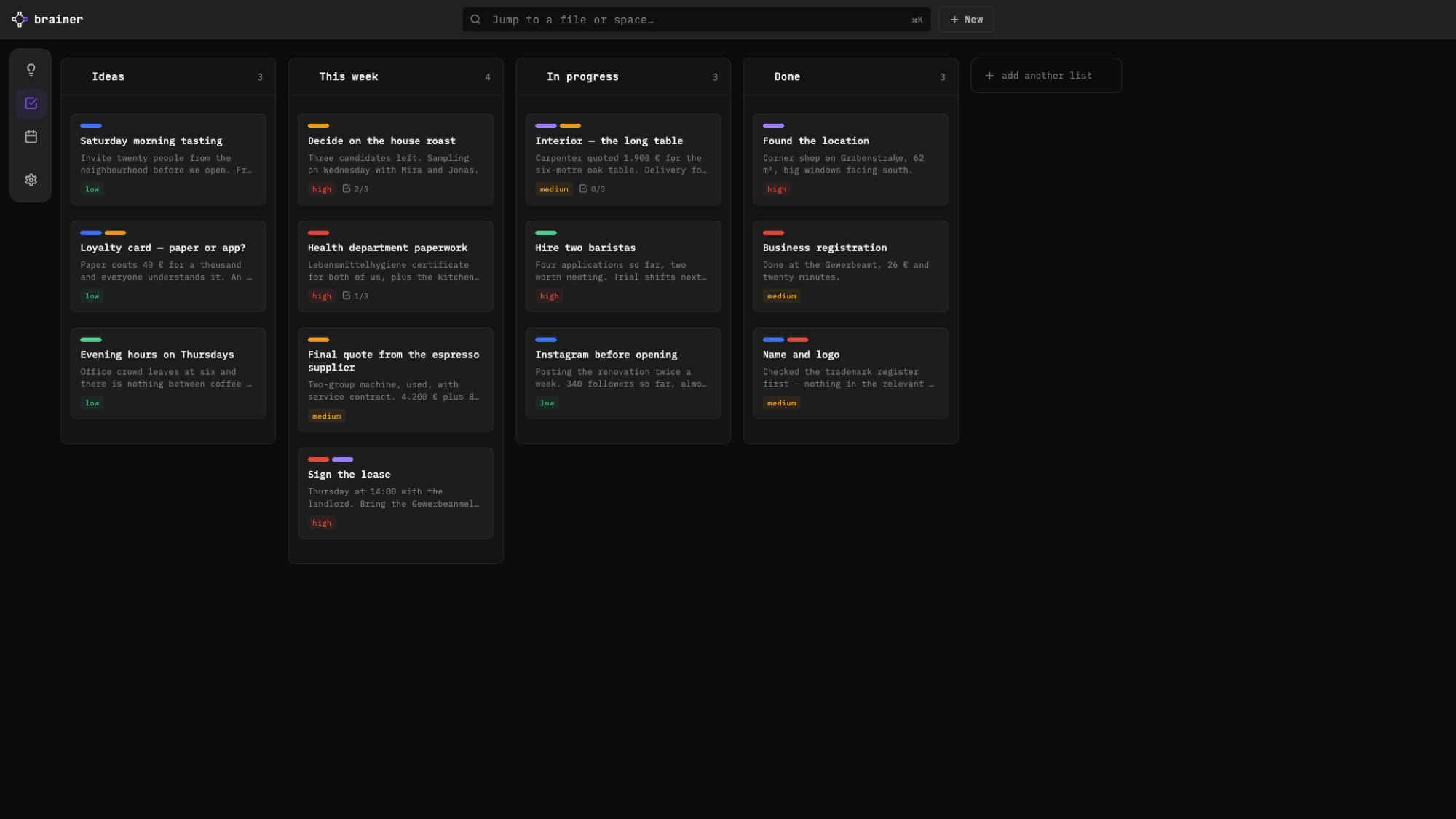
Every task in its place.
Start from a template.
Pick Kanban, Simple, Sprint, Content or Bugs, or start empty.
Drag it forward.
Move cards between columns or reorder them within one. Add, rename or remove columns any time.
Add a card in a second.
Type straight into the column. No dialog, no extra clicks.
Break it down.
Give every card subtasks and as many named checklists as it needs.
Keep the context.
Leave comments on a card, so the why stays right next to the what.
Check it off.
Tap the circle to mark a card done. Changed your mind? It goes right back to its old column.
Deadlines that find you.
Give a card a date and it appears in your weekplan. No copying, no double entry.
As many boards as you need.
One board per project, per client or per idea. Find any of them with ⌘K.
Undo anything.
Moved the wrong card? Step back with undo.
Questions? Answers.
Which board templates are included?
Kanban, Simple, Sprint, Content and Bugs, plus an empty board to build your own.
Can a card have more than one checklist?
Yes. Every card can hold several named checklists, plus subtasks and comments.
Do card deadlines show up in my calendar?
Yes. Deadlines from your boards appear in Brainer’s weekplan on their own.